| Support Category: Course Information Inquiry, Course Launch Issue | Error Message (select applicable) |
| Specialist Notes: |
Use the steps below to assist users who are unable to locate, launch, or access LinkedIn courses or who receive an error message.
IMPORTANT! Please note that LinkedIn Learning Support SR does NOT apply to Dexcom users. If the issue persists after following the steps below, escalate to the Administrators. |
1. Always confirm the user's employee type first.
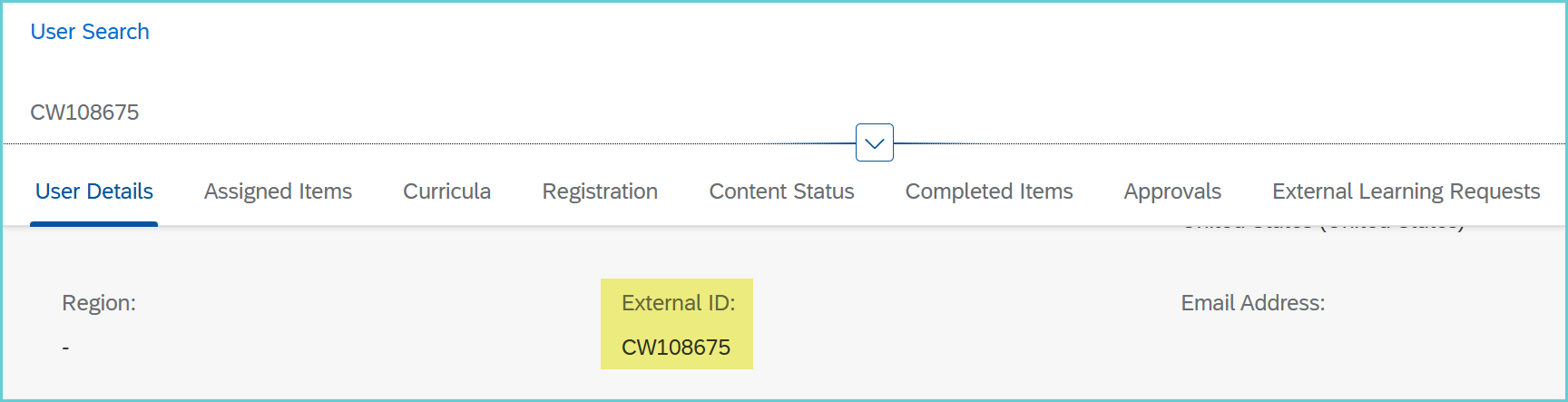
2. If the user is a Contractor (CW) or Distributor: Inform them that, unfortunately, LinkedIn courses are not available to them. (See below on how to identify a Contractor whose User ID starts with “CW”)
3. For any other user type: They should be able to access LinkedIn courses through the following options:
- DLC Catalog (easiest): Ask them to use the Search Bar, locate the course, and launch it.
- DLC Carousel: Users can click the hyperlink under "LinkedIn Learning".

- Okta: Users can also access courses via Okta (https://dexcom.okta.com/)
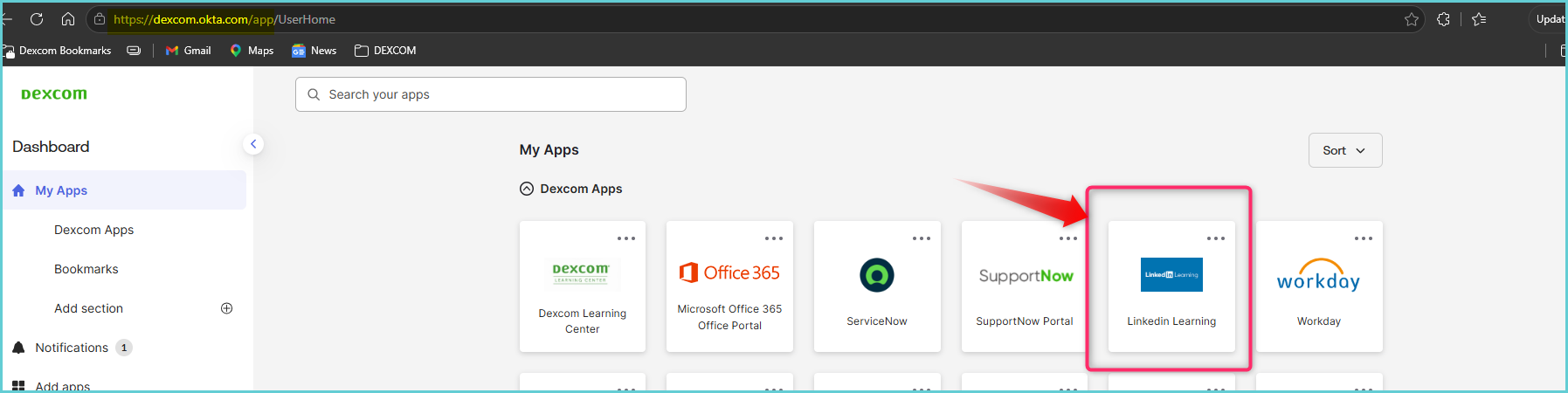
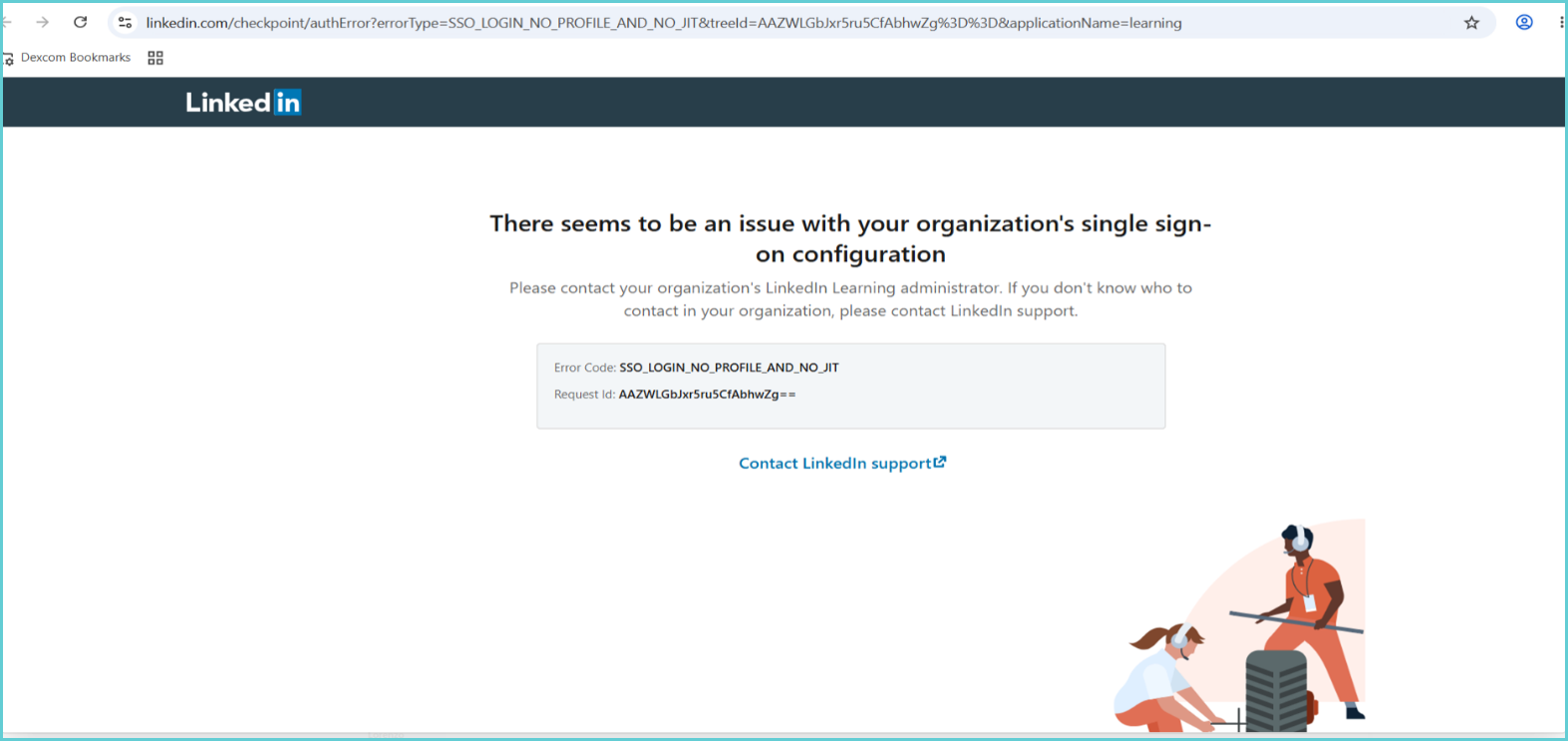
4. If the user is still having issues or receives the error message below, escalate to the Administrators for further assistance.
| Standard Response: |
