| Support Category: Course Information Inquiry |
| Specialist Notes: |
Overdue courses can and should be taken so long as the user is able to do so (certain items, such as ILT items, are non-interactable). If the user does not have the option to launch the course (which we will need to verify via screenshots, as proxying will not show if the course is able to be launched due to direct link limitations), then please direct the user to the course POC.
Regarding extensions: Please forward those requests to the course POC as well. There are some cases where extensions may be given, but others are concrete, and it will depend on the owner of the course.
If you are unsure as to how to locate a course POC, please use the guide below and replace what's in the brackets of the Standard Response with the appropriate information.
IMPORTANT! Please refer to the Proxy SR before proxying into a user's account. If the user is on or has returned from leave, please have them work with HRBP to update their status in Workday. Escalate should user give pushback. |
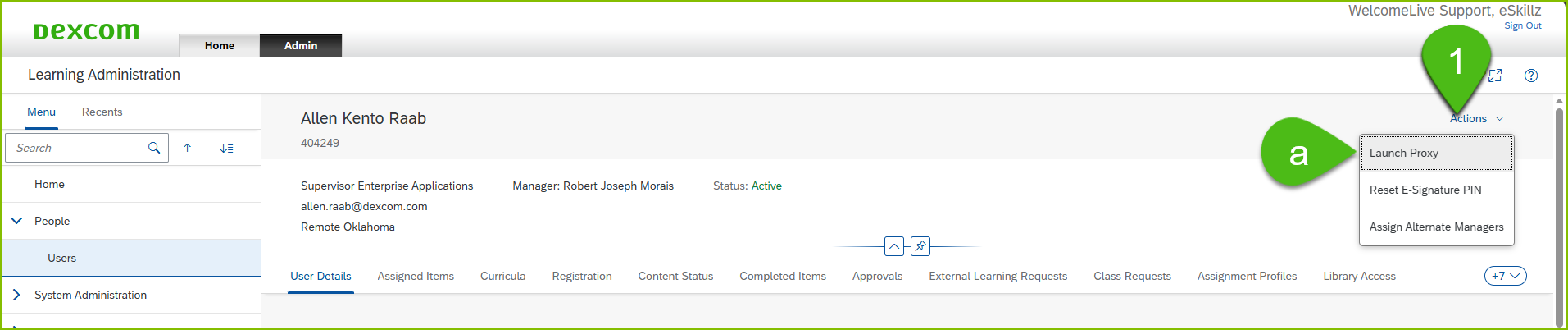
1.) After locating the user's account within the DLC, and we are granted permission to proxy into their account, click the Actions button located on the far right of the user's profile page.
a.) This will open a drop-down menu. Click Launch Proxy.
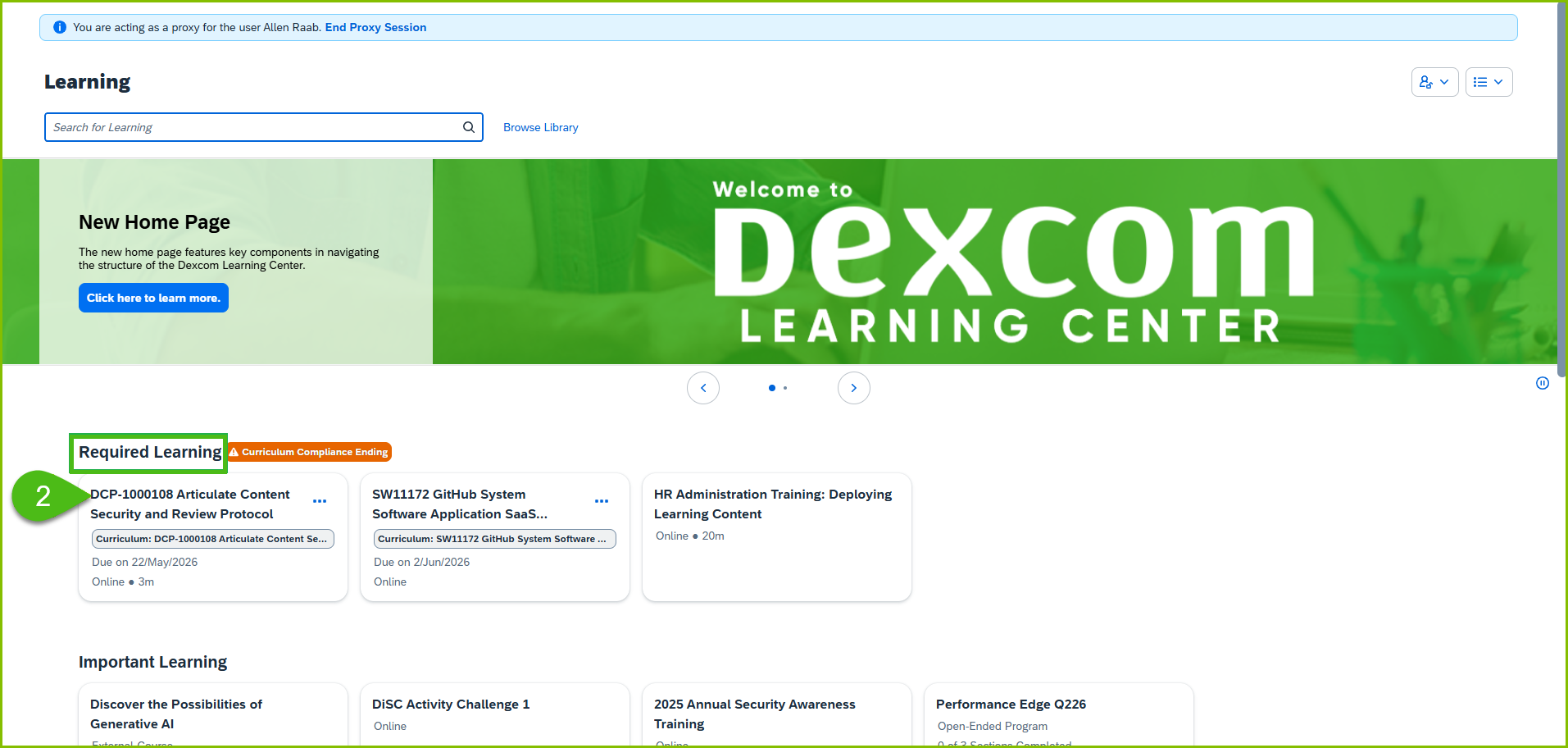
2.) Click on the training/course title for which the POC is needed. This can be located under the user's Required Learning.
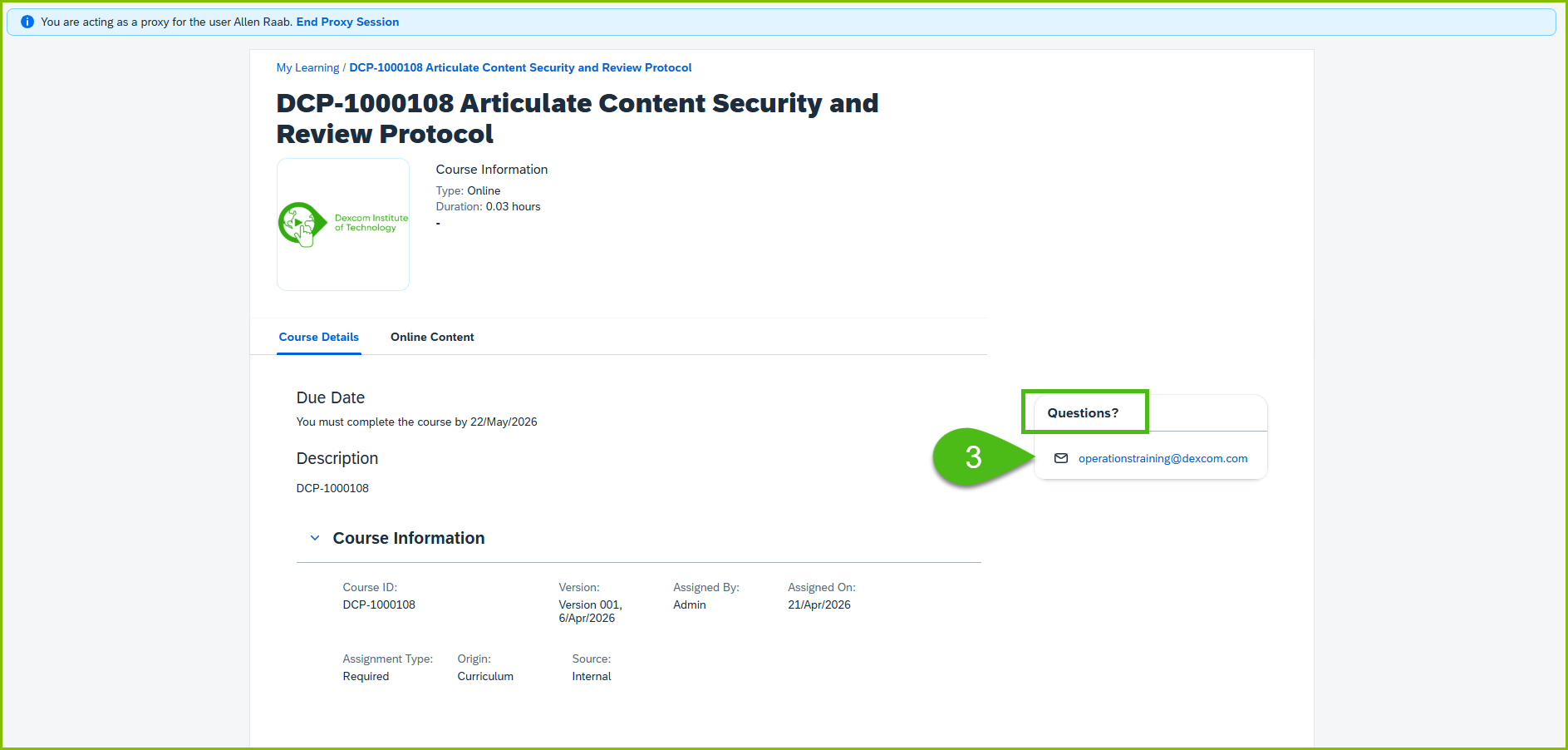
3.) This will direct you to the course information page, where the POC can be found within the Questions? box.
| Standard Response: |
Thank you for waiting.
Kindly find the contact information for the [COURSE TITLE] below. They will be able to assist you further with your request.
• [TRAINING POC INFORMATION]
