| Support Category: SSO |
| Specialist Notes: |
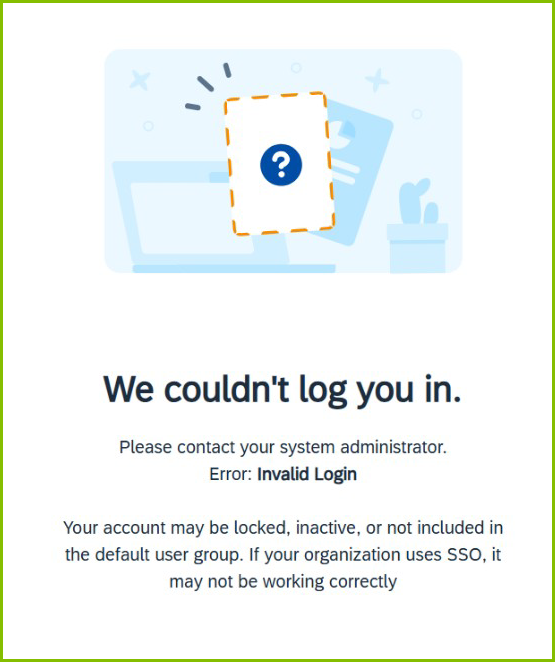
Should users report receiving the "We couldn't log you in" error while accessing the DLC, this is most likely related to the new hire account sync from Workday. Start by checking their account status.
- If no account is found, refer to the No Account SR.
- If an active account is found, share SR below.
However, if the user states the 48-hour wait period has passed, OR they are existing users (who previously had access), gather the following details and escalate:
Start Date:
Employment Type: [DISTRIBUTOR OR EMPLOYEE]
Employment Location: [IF REMOTE: CITY/STATE]
IMPORTANT! Request a screenshot of the error (when possible) to verify it matches the error below. |
| Standard Response: |
Apologies for the difficulties you are experiencing accessing your DLC account. Accounts typically take 24 - 48 hours after your first day to sync via the data feed. Please allow the full 48 hours and try again. If the wait period has passed, please let us know, and we’ll be happy to look into it further.
